
A Step-by-Step Guide to Copy Trading on TRAIA
Choosing the Right Account for Copy Trading 🚀
A Complete Guide to Starting Copy Trading on TRAIA
At the beginning of this page, you need to choose the most suitable account for copy trading.
If you are not sure which option fits you best, we recommend reviewing the Copy Trading Account Selection Guide to make a well-informed decision based on your capital, trading strategy, and risk level.
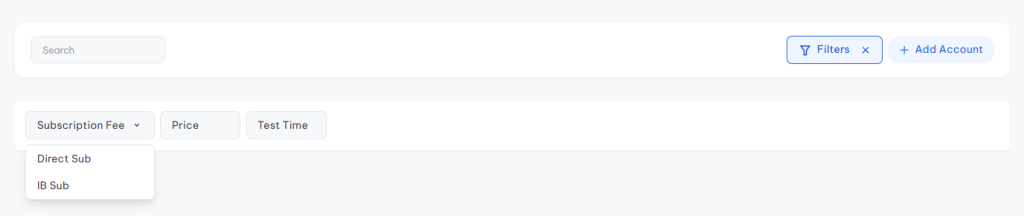
Copy Trading Service Type Filter
In the filter section, you can select the type of copy trading service to quickly find the most suitable option:
Direct Subscription
Broker-Based Subscription
This filter helps you choose the best service based on your payment method, forex broker, and subscription model.
1️⃣ What Is Direct Subscription?
Direct Subscription services are copy trading services independent of any specific forex broker.
In this model:
You are not restricted to a specific broker
You pay a monthly subscription fee
You gain access to copy trading, forex analysis, and trade management services
📌 This option is suitable for users who:
Prefer freedom in choosing their broker
Prioritize transparent pricing
Want direct control over their copy trading subscription
2️⃣ What Is Broker-Based Subscription?
A Broker-Based Subscription is a copy trading model where the service is activated through collaboration between the provider and a forex broker.
In this model:
You register with the broker using the provider’s referral link
No direct subscription fee is required
You can use copy trading services
Service costs are covered through cooperation between the broker and the provider
📌 This option is ideal for users who are looking for:
Free copy trading
An easy start without monthly payments
🔄 Hybrid Mode (Direct + Broker-Based)
Some providers offer both Direct Subscription and Broker-Based Subscription simultaneously,
while others provide only one of these options.
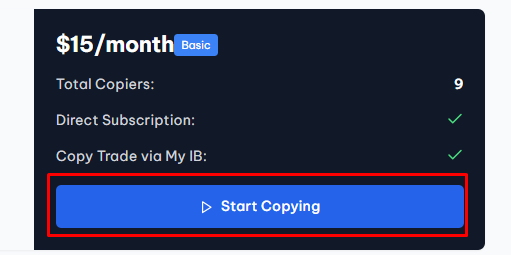
Select the desired account card
- Click on Start Copy Trading
Account Connection – Direct Subscription (Monthly Payment)
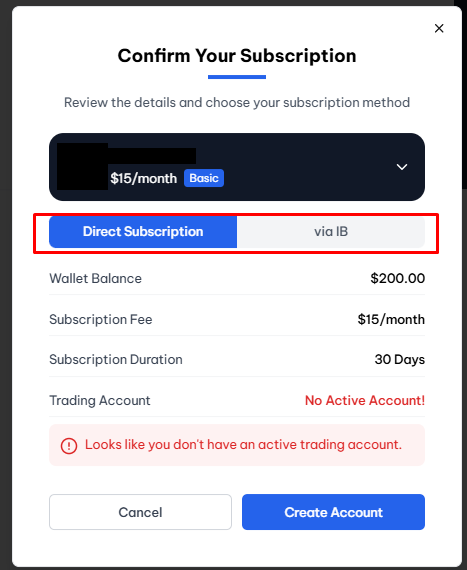
At this stage, information related to the subscription type, payment status, and trading account is displayed.
Some providers may enable only one subscription method; therefore, both options are explained in this guide.
🔹 Service Type
- Direct Subscription: Copy trading with monthly payment
- Broker-Based Subscription: Copy trading through broker registration
🔹 Wallet Balance
Your available wallet balance for paying subscription fees or activating copy trading services is displayed here.
🔹 Subscription Fee
The monthly fee deducted from your wallet to use this copy trading service.
🔹 Subscription Duration
The period during which the copy trading service remains active after activation.
🔹 Trading Account
If you see a message indicating that no active account exists, you must first create or connect a trading account.
- If you do not have an account: select Create Account
- If you already have an account: enter your trading account details
1️⃣ Creating an Account with Monthly Subscription
First, click on the “Create Account” option.
🔹 Account Name
is a custom label you choose to identify this copy trading account inside your TRAIA dashboard.
🔹 MetaTrader Username
The login username provided by your forex broker.
🔹 MetaTrader Password
Enter your trading (master) password.
This password is used only for executing trades and does not allow withdrawals.
🔹 MetaTrader Platform Version
🔹 Broker ServerSelect the server provided by your forex broker to ensure proper connection.
🔹 Risk Level
- 0.5 → Low risk
- 1 → Moderate risk (recommended)
- 1.5 to 2 → High risk
📌 Higher risk levels result in greater account volatility and potential returns.
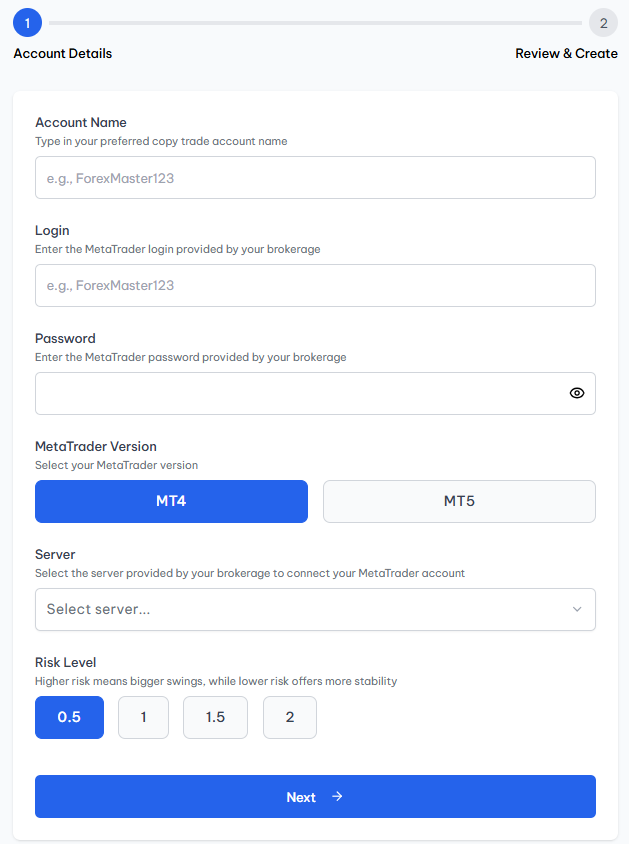
Finalizing and Connecting the Copy Trading Account
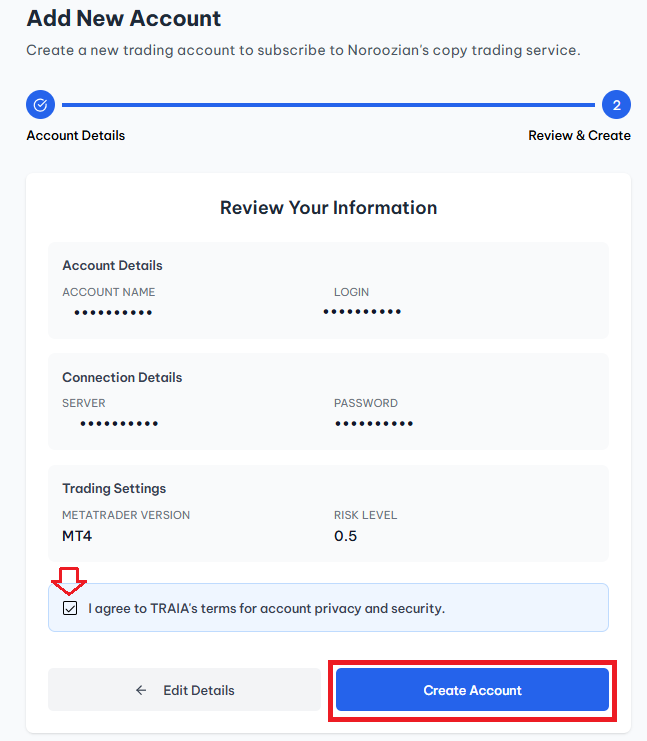
Review and accept the agreement
- Click Create Account
Once completed, your trading account will be successfully connected to the copy trading service.
✅ What Happens After the Account Is Created?
You can monitor performance, profit, and risk in real time
- Your trading account is automatically connected to the copy trading service
- The provider’s trades are executed automatically on your account
- You can view your connected account in the Subscriptions section of your TRAIA profile
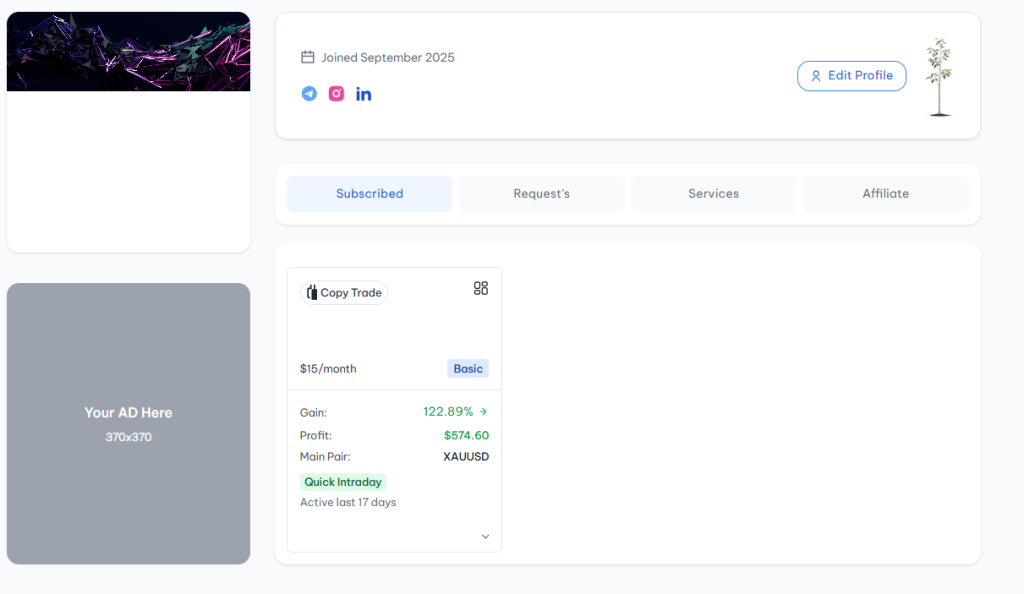
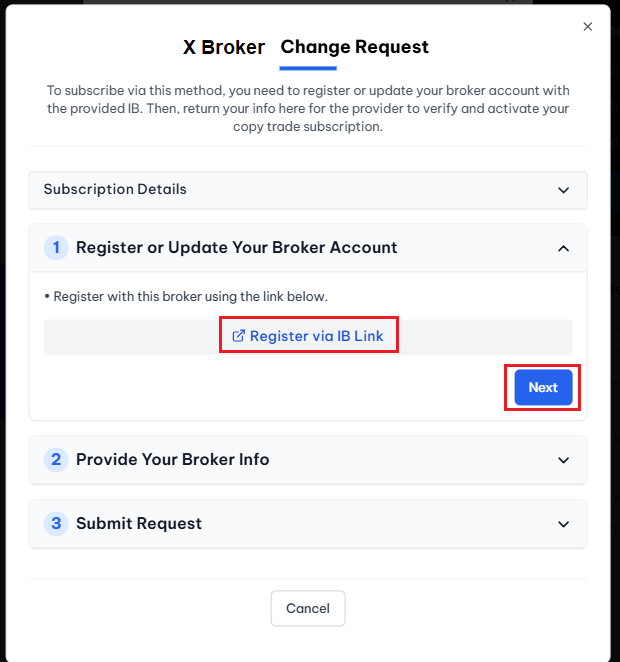
2️⃣ Creating an Account via Broker-Based Subscription (Free)
Start by choosing the broker where you have an existing account or plan to open one.
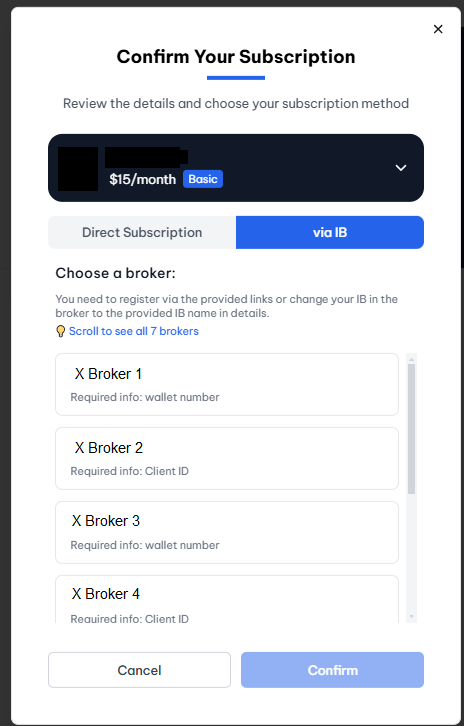
- If you do not have an account: register, fund your account, and return to this page
- If you already have an account: click Next
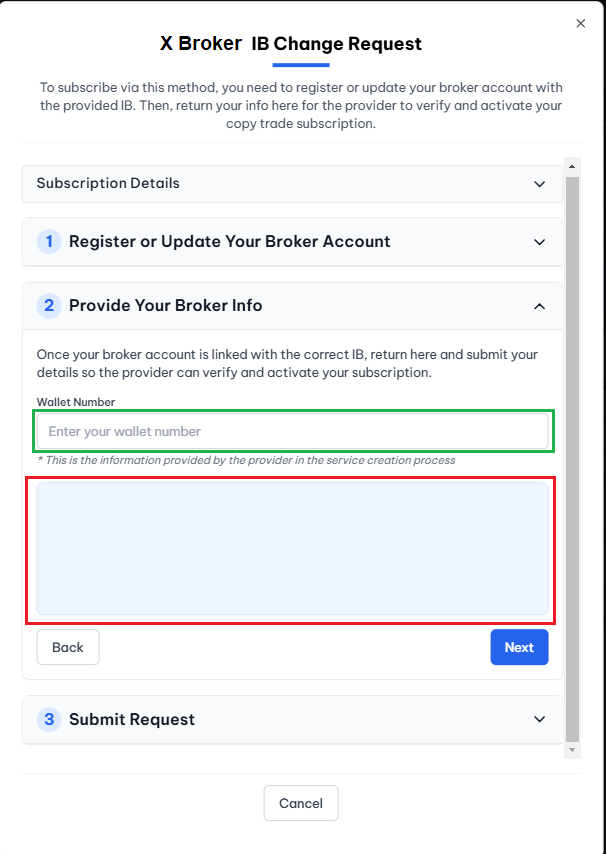
In the red section, instructions from the provider are displayed.
Enter the required information in the green section so the provider can identify you correctly.
Required Information for Submitting a Connection Request
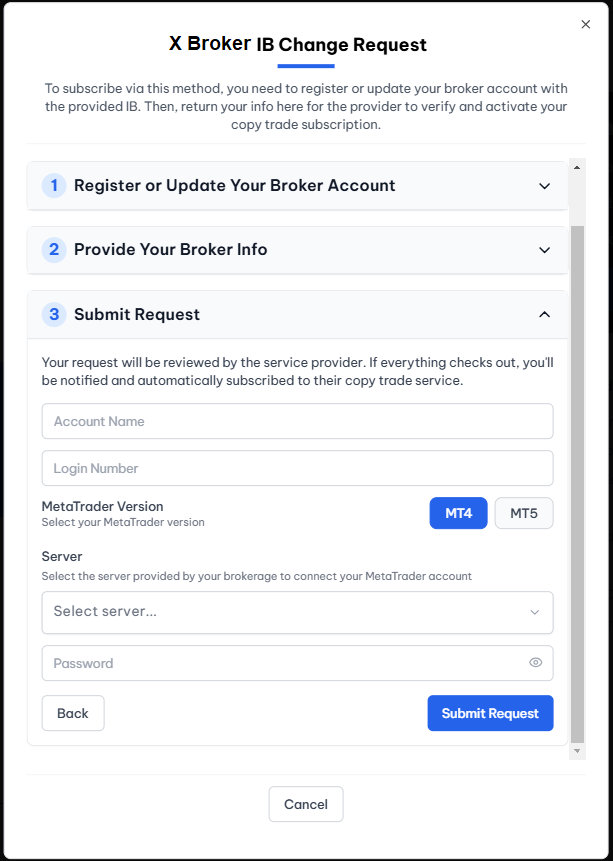
🔹 Account Name
A custom name to identify this account in your dashboard
🔹 MetaTrader Login Number
The login number provided by your broker
🔹 MetaTrader Version
MetaTrader 4 or MetaTrader 5
🔹 Server
The target broker’s server
🔹 Password
Trading (master) password with no withdrawal access
Submitting the Connection Request
- Back → Return to the previous step
- Submit Request → Send the account connection request
Once approved by the provider, copy trading will be activated automatically.
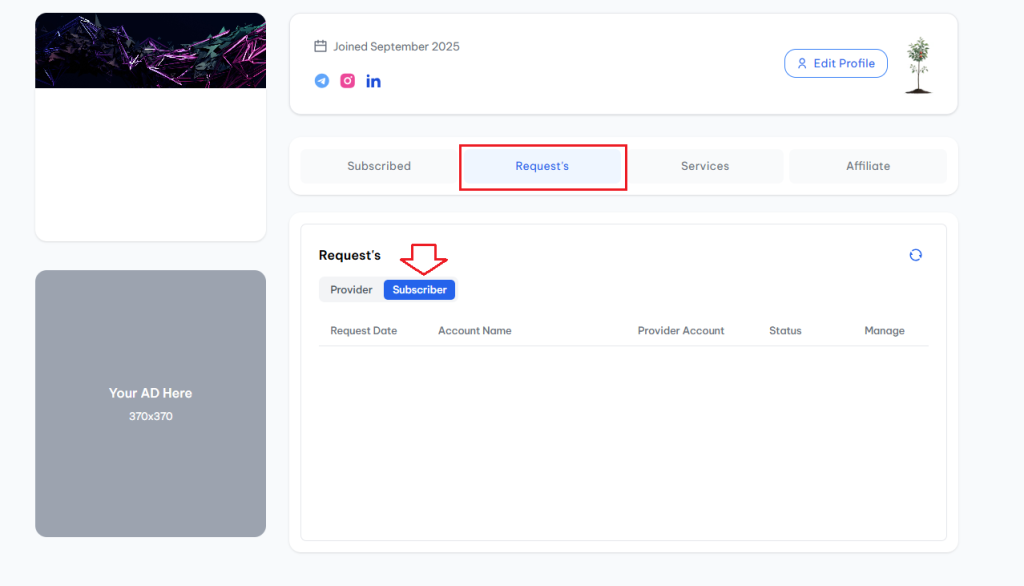
After submitting your request, it will be displayed on the provider’s page.
The provider will review the request and either approve or reject it.
You can also track the status of your request from your profile under the Subscriptions section.
